Publix is the largest employee-owned supermarket chain in the US, offering a rich selection of products, such as fresh produce, bakery, health and nutrition items, personal care, household products, and pet supplies.
Advertisement:
Besides featuring a diverse selection of merchandise, the Publix Ad has various deals and specials so that you can save when shopping for your needs at this retailer. Such offers include weekly specials, BOGO Deals, as well as digital coupons.
Digital coupons will not only help you save when buying the items you need but will also simplify your shopping experience since they are easy to access, clip, and redeem. Unlike printed coupons or paper coupons that you have to cut out, you can add digital coupons to your account no matter where you are as long as you can access the store’s website or app.
However, if you’re new to couponing at Publix, and you want to find out more about how to use such offers to save more, here is a guide to get you started.
Join Club Publix
Publix features a generous selection of products that can cover your various needs, as well as the above-mentioned deals that help you stock up on the items you need without paying the full price. When it comes to digital coupons, you will see that in order to benefit from them, you are required to sign in to your Publix account. Therefore, being a Club Publix member is mandatory if you want to benefit from such deals.
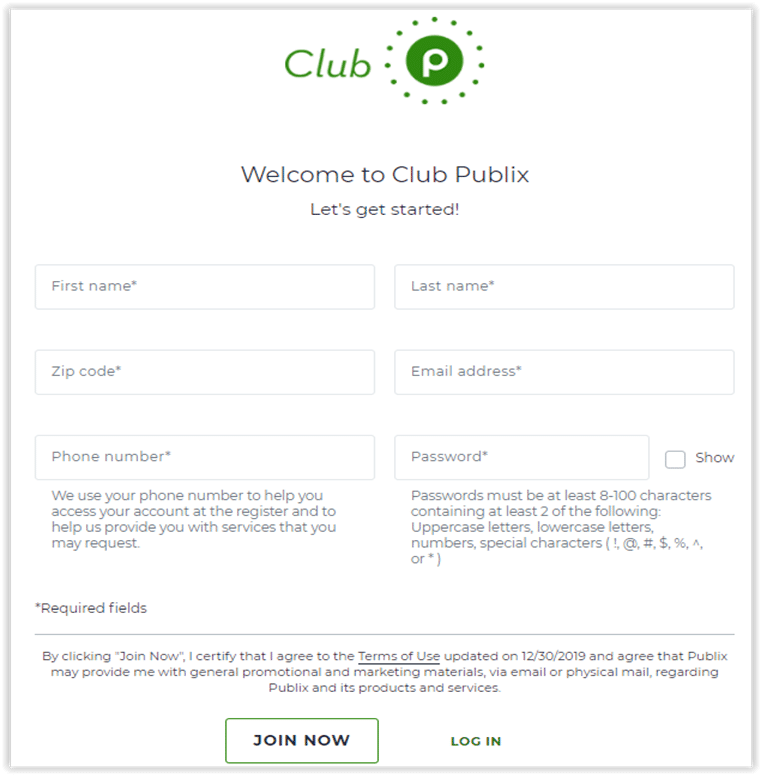
Joining the Club Publix program is free and easy, though. However, the benefits of doing so come in plenty. You can create a Publix account both online or in the free Publix app. The app is available for both iOS and Android devices and is designed in such a way as to simplify your shopping experience. You can thus use it to view the latest deals, clip coupons, order your favorite products, scan bar codes, and so on.
Advertisement:
When registering, you will be required to enter your 10-digit phone number, which is needed at checkout to identify yourself and purchase the items of interest using a digital coupon.
How to Access, Clip, and Redeem Coupons
When visiting the Publix website, you will see that in the right upper corner of the store’s homepage there is a section titled “Savings.” Here is where you will find all the deals available at Publix, including a subsection specifically created for digital coupons. Therefore, make sure you’re logged in to your Publix account and access this section to view the latest digital coupons.
At the time of writing, there were 156 digital coupons available. They are updated regularly, so make sure to check this page before your every shopping session to see if there’s something of interest paired with a digital coupon.
Considering the generous number of coupons frequently available, it shouldn’t be difficult for you to find the products you need included in this type of deal. Plus, there’s no limit regarding how many coupons you can use. The only limit is given by the number of digital coupons available for use at the time of your purchase. However, you cannot clip all coupons at once; you will have to clip each one separately instead.
You can filter the coupons available by keywords using the search box featured on this page or sort them by using the “newest, most popular, and expiring” filters. If you want to know which ones are the latest, simply use the “newest” filter. The “expiring” filter will enable you to see the digital coupons that expire soon. Plus, the expiration dates display in red for any digital coupons expiring within the next seven days.
In case you’ve clipped digital coupons to your account but haven’t used them before their expiration date, the expired coupons will be deleted from your Club Publix account automatically.

Advertisement:
Once you’ve found digital coupons you’d like to use, just click the “Clip Coupon” button to load them to your Publix account. The coupons you clip to your account are immediately available for use. To see all the coupons you’ve clipped, make sure you’re logged in to your Publix account, and on the Digital Coupons page, you should see Clipped Coupons.
After you’ve added all the coupons of interest to your card and all the items to your shopping cart, all you have to do to use them once you reach the checkout is enter your 10-digit phone number on the PIN pad.
To find out more details about a certain coupon, just click on it, and you will get information regarding the terms and conditions of that particular coupon and its expiration date.
To see if the digital coupons you’ve clipped have been applied, check your receipt. The savings should be itemized on it.
Digital Coupon Limits
If you’re new to digital coupons at Publix, it is best to check the store’s coupon policy to learn more about the dos and don’ts of this type of deal.
For example, the number of times you can a digital coupon can be used is up to the manufacturer. However, most coupons can be used only once. That’s why it is also best to read the details of every coupon as they should provide such information. Thus, when a coupon can be used multiple times within a single transaction, you should see an icon displaying the number of times it can be redeemed on it.
Plus, using a digital coupon and a paper coupon for the same item is not allowed. According to the store’s official website and the information provided on the “Digital Coupons FAQ” page, savings are limited to one manufacturer coupon per item purchased. If a paper coupon is accepted for a product, the digital coupon will not be accepted and will remain in your Club Publix account for future use.
Advertisement:
However, in case there is a digital dollars-off-total-order coupon clipped to your Club Publix account and you also have a paper dollars-off-total-order coupon, you may use both in the same transaction. Also, customers are allowed to combine digital and paper coupons for private label items for use on the same item.